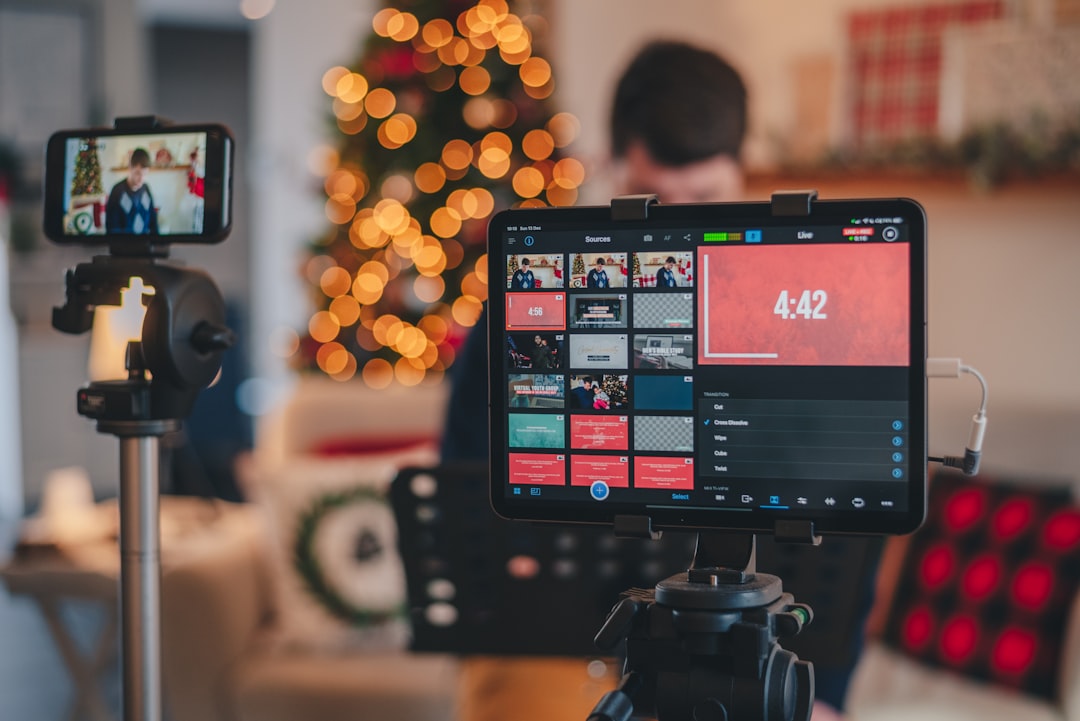
Choosing the best live streaming platform is less about finding a universal winner and more about matching audience reach, production needs, monetization options, moderation tools, analytics, and total operating cost to your format. This comparison gives creators a repeatable way to evaluate platforms, estimate a realistic monthly budget, and decide whether one platform or a multistreaming workflow makes sense.
Overview
A live streaming platform usually does several jobs at once: it delivers the broadcast, hosts the live chat, helps viewers discover the show, records or distributes the replay, and provides tools for community management and creator monetization. Those jobs do not carry the same importance for every creator.
A gaming creator may prioritize low-friction chat, community features, and streaming software integrations. An educator may care more about replay access, searchable titles, chapters, captions, and a reliable way to share a registration or resource link. A musician may need clean audio, rights-aware workflows, and a format that supports regular performances. A publisher or brand may place greater value on moderation, analytics, branding control, and distribution beyond a single social network.
For that reason, a useful live streaming platform comparison should assess five areas:
- Audience fit: Is your intended audience already active there?
- Production fit: Does the platform work with your camera, microphone, browser-based streaming tools, or software such as OBS?
- Business fit: Does it support the creator monetization methods you intend to use, such as memberships, tips, subscriptions, sponsorships, products, or paid access?
- Growth fit: Can viewers discover the stream through search, recommendations, notifications, clips, or community sharing?
- Operational fit: Are moderation, analytics, replay handling, branding, and multistreaming practical for your team?
Platforms change their pricing, eligibility requirements, revenue terms, and product features. Treat this article as a decision framework rather than a permanent ranking. For a production-focused checklist, see the live streaming setup checklist.
How to estimate the right platform and total cost
Start by separating the platform decision from the equipment decision. A platform may be free to access while your complete live streaming setup still requires a microphone, camera, lighting, encoding computer, internet service, software, design tools, moderation time, and post-production work.
Use this simple monthly estimate:
Total monthly streaming cost = platform and software fees + multistreaming fees + production allocation + promotion budget + labor or moderation cost − expected monthly revenue
“Production allocation” is the portion of equipment and setup costs assigned to a month. For example, if you spend 600 on equipment and expect to use it for 24 months, a simple planning allocation is 25 per month. This is not an accounting rule; it is a way to compare the ongoing cost of different workflows.
Then estimate the value of each platform using a weighted score. Give each category a weight from 1 to 5 based on its importance, score each platform from 1 to 5, and multiply the two numbers.
- Audience fit: weight 5, score 4 = 20
- Monetization fit: weight 4, score 3 = 12
- Production fit: weight 4, score 5 = 20
- Discovery and replay: weight 3, score 3 = 9
- Analytics and moderation: weight 3, score 4 = 12
The total score is 73 out of a possible 95. Repeat the same exercise for each candidate platform. The result is not an objective ranking; it makes your assumptions visible and helps prevent a familiar brand name from outweighing your actual needs.
For creators considering multistreaming tools, add a second calculation: multistreaming value = incremental reach and business opportunity − added software cost − added moderation and production complexity. Multistreaming is most useful when you can serve each destination properly. Sending the same feed everywhere without a plan for chat, titles, calls to action, and replay distribution can create more work without creating a stronger audience relationship.
Inputs and assumptions
Platform roles and typical strengths
The following descriptions are general planning categories, not guarantees. Features, access rules, revenue terms, and discovery systems can change, so verify details directly before committing to a paid workflow.
- YouTube Live: Often a logical candidate for creators who value searchable content, replay viewing, long-form education, podcasts, tutorials, and a content library that can continue working after the broadcast.
- Twitch: Often considered by creators whose format depends on frequent live interaction, community routines, gaming, creative sessions, or a chat-led show. Consistency and community management may matter as much as production quality.
- TikTok Live: Can suit creators who already understand vertical video, fast hooks, mobile-first presentation, and short-form audience behavior. Check current access and monetization conditions for your location and account.
- Facebook Live: May be useful when a creator, organization, or publisher already has an established community on Facebook and wants to bring live programming into that existing network.
- LinkedIn Live: May fit professional education, interviews, industry commentary, and business events where the audience relationship is built around expertise rather than entertainment alone.
- Independent or embedded video services: These can offer greater control over branding, audience data, registration, or website presentation, but they may require more setup, distribution work, and technical management.
Inputs to record before choosing
Write down your answers to these questions before comparing plans:
- How many broadcasts will you produce each month, and how long will they run?
- Is your show primarily live, or is the replay and its searchable value equally important?
- Where does your existing audience already spend time?
- Do you need one host, multiple guests, screen sharing, remote interviews, scenes, alerts, captions, or branded overlays?
- Will one person moderate chat while presenting, or do you need a second operator?
- Which revenue paths are realistic for your format: tips, subscriptions, memberships, sponsorships, products, tickets, courses, or lead generation?
- What is your acceptable monthly budget before revenue becomes predictable?
Do not evaluate image quality in isolation. A modest camera paired with clear audio, stable internet, controlled lighting, and a well-rehearsed show can be more effective than expensive gear attached to an unreliable workflow. For detailed production decisions, use this camera, microphone, lighting, internet, and OBS setup guide.
Worked examples
Example 1: Weekly educational show
Suppose a teacher plans four one-hour broadcasts each month. The goals are searchable replays, clear screen sharing, audience questions, and a path toward paid workshops. The creator already has an audience that watches recorded lessons.
In this case, replay value and search may receive the highest weights, followed by production reliability and audience interaction. A platform built around a durable video library may score better than one optimized mainly for real-time chat. The creator could begin with a single destination, test four episodes, and measure average live viewers, replay views after seven and thirty days, questions per episode, email sign-ups, and workshop conversions.
Example 2: Community-led gaming stream
Suppose a gaming creator streams three times each week and measures success by returning viewers, chat participation, community retention, and subscriber or membership activity. Discovery still matters, but the operating model depends heavily on a reliable live routine.
The creator should assign higher weights to community tools, moderation, stream stability, alerts, and chat management. A multistreaming test may be worthwhile, but only if the creator can monitor multiple chats or set clear expectations about where the main conversation happens. The test should compare not only total views, but also returning viewers, average watch time, moderation workload, and revenue per broadcast.
Example 3: Interview podcast with clips
Suppose a publisher produces two interviews each month and wants the live show to feed a broader content workflow. The value may come from the live audience, the replay, short clips, an audio or video podcast, a newsletter, and sponsor inventory.
Here, the best platform is the one that fits the entire workflow rather than the live broadcast alone. Include guest management, recording quality, captions, export options, branding, analytics, and the time required to turn each episode into clips. Tools for turning live streams into social clips can reduce post-production effort, but they should be evaluated as part of the total workflow cost.
When to recalculate
Revisit your comparison whenever a major input changes. At minimum, recalculate after a platform changes pricing, revenue terms, access requirements, distribution features, analytics, or moderation controls. Also review the decision when your audience moves, your format changes, or your production team grows.
A practical review cycle is every quarter for an active creator and after every major format experiment. Record the same metrics each time:
- Average and peak live viewers
- Returning viewers or repeat attendees
- Average watch time and replay performance
- Chat activity, questions, and moderation incidents
- Followers, subscribers, email sign-ups, or other meaningful actions
- Revenue by source and revenue per production hour
- Software, equipment, promotion, and labor costs
Use a controlled test rather than changing everything at once. Keep the topic type, broadcast length, promotion window, and call to action reasonably consistent for several episodes. Then compare the results with your original assumptions. If the platform score looks strong but the workflow takes too long, lower its operational score. If a smaller audience produces better conversions or stronger community participation, include that business value rather than judging by viewer count alone.
For your next decision, create a one-page comparison with three candidate platforms, five weighted criteria, your estimated monthly cost, and a four- to six-episode test plan. Pair it with a reliable pre-stream workflow, document the results, and update the calculation when the inputs change. That process will usually lead to a better choice than chasing a permanent “best” platform.